
Parts used:
- Kingston ValueRAM 2GB : Model DDR2-800 CL5 SDRAM - 240 pin DIMM (two 1 Gb cards = 2 GB total).
The Gigabyte motherboard supports dual channel memory (faster) if the memory cards are installed in the correct banks. They are nicely color coded to make the correct banks easy to find. This type of memory is easy to install, just pull back the two white plastic retainers, seat the boards firmly, (they can only go into their sockets one way) and make sure the plastic retainers are pulled up into the retaining notch on the memory card.
In the picture below, you can get a good view of two of the four plastic feet that anchor the CPU cooler. You need to peek at the back of the motherboard to ensure all four feet are properly seated into their sockets.
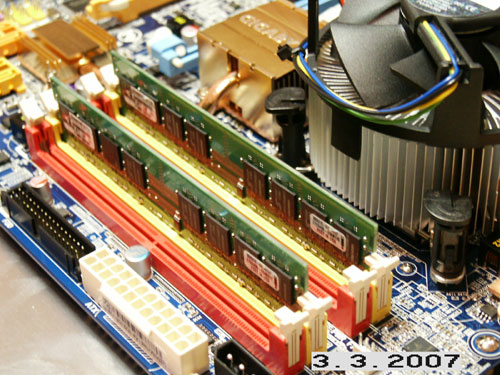
The two 1GB memory cards installed (2 Gb total).