
Parts used:
- Western Digital Hard Drives (2): Model WD2500YS 250Gb, SATA 3Gb/s interface, 7200 rpm, 16 Mb cache.
The drives configured fine as a single volume RAID 1 (mirrored) drive in BIOS but Windows Vista let me down and wouldn't install with these drives configured in a mirrored RAID. Since Vista won't let me do what I wanted, if I had it to over I probably would have bought one 10,000 rpm drive. The advantage of that would be a little more speed, the disadvantage is a little less reliability and a little more heat. I probably will get an external SATA drive for backups eventually, for now I can use the CD burner or DVD burner for backups.
The Lian Li case has a hard drive cage that is removable with, you guessed it, thumbscrews, which makes it quite easy to install the drives. I kept one space open between them for air flow. Lian Li even supplies plenty of mounting screws for hard drives,optical drives, and floppy drives.
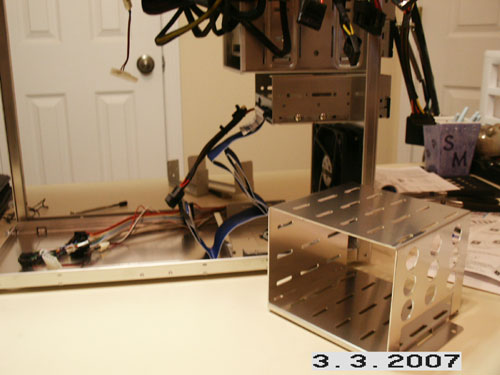
The hard drive cage. It holds five (5) 3.5 in. drives mounted vertically.
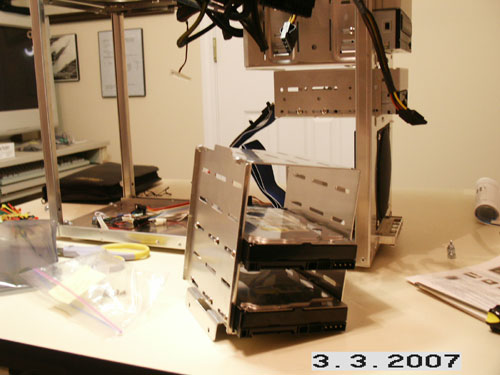
The Western Digital 250 Gigabyte drives installed in the cage.
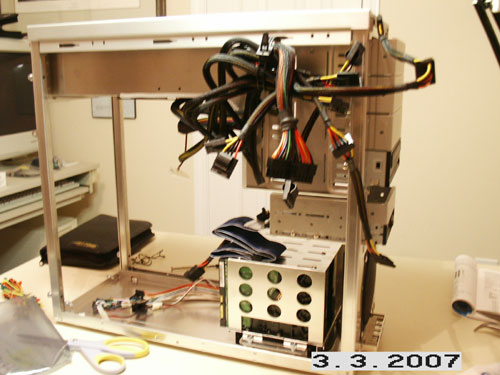
The hard drive cage with drives back in the case. Note the large 120 mm fan in the front of the case blows directly on the hard drive cage.